Business owners
Let your agents buy supplies, software and travel inside rules you signed, with a record your accountant can check.
Early access · free until 31 Dec 2026
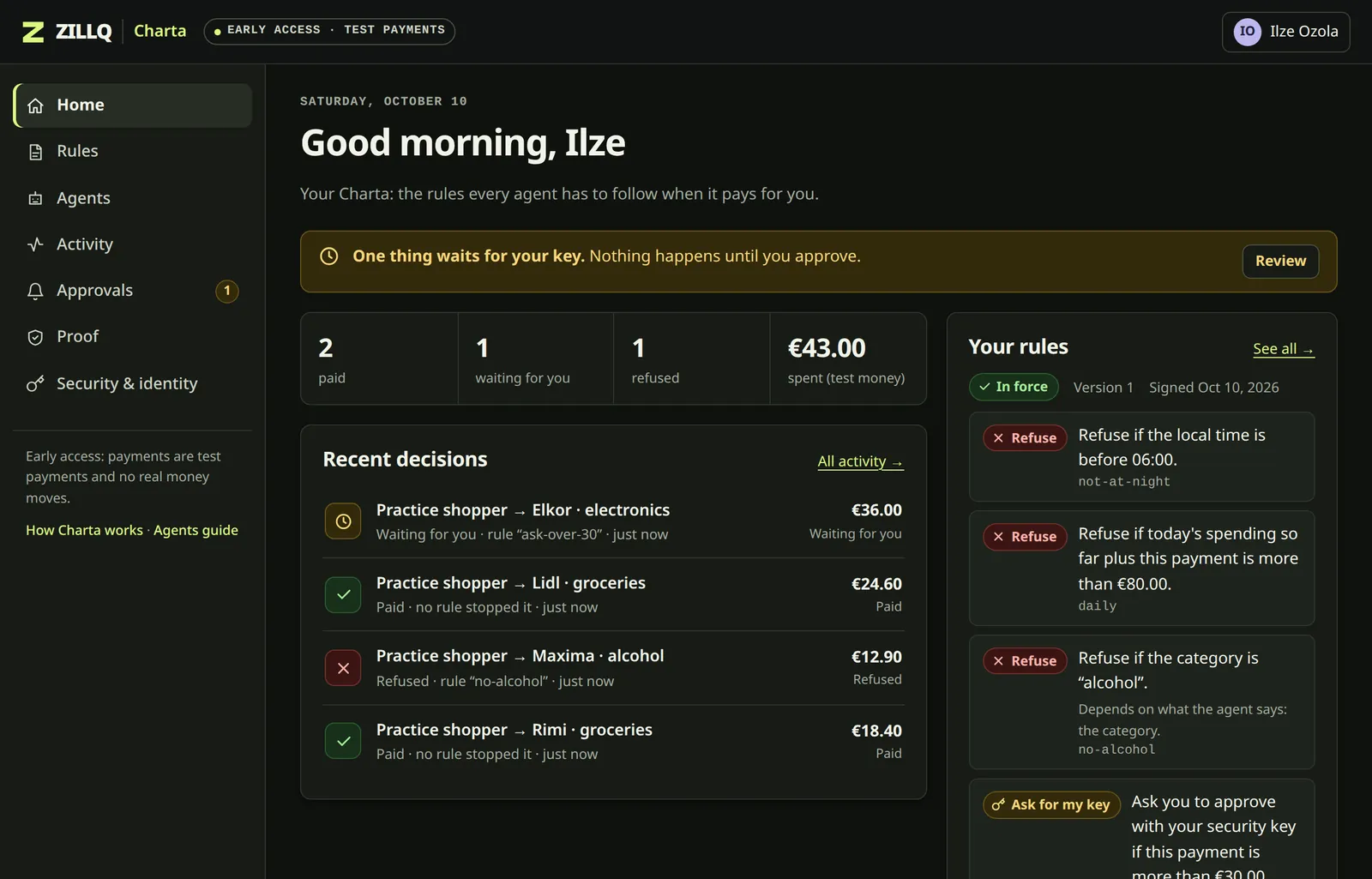
AI agents can now buy things on your behalf. Zillq Charta decides how far they go: write your spending rules in your own words, confirm them with your account, and every payment an agent asks for is checked against them before any money moves, with proof of every decision.
The missing layer of your digital identity
Your digital identity already proves who you are, and that it's really you. It says nothing about what software may do with your money. Charta adds that layer: rules that belong to you, not to an app, signed by you, and checked by everyone who has to honour them.
How it works
Describe what your agents may spend. Charta turns it into precise rules.
Charta reads the rules back in plain sentences and runs them on example purchases before you sign.
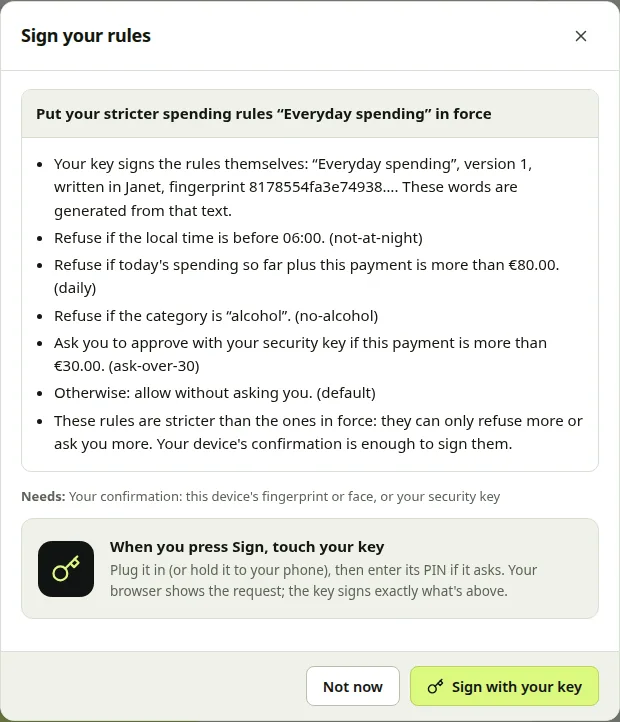
Nothing is in force until you confirm it: the exact rules, not a summary. Charta can't confirm for you. Your password is enough; add a security key and only the key can.
Each agent gets its own key and a mandate you sign. It can ask to pay; it can never raise its own limits.
Every decision, refusals included, is recorded with the rule that decided, in a chain anyone can check.
See your rules decide
Pick something for the agent to buy. Today it has already spent €20.00.
Charta's answer appears here.
A simulation in your browser, with these four rules. In Charta, your signed rules run in a sandboxed rule engine on every request, and every answer is recorded.
Why Charta
Banks, cards and agent platforms each let you set limits, in their own settings, for their own product. Charta keeps one set of rules that is yours, and every agent you connect has to pass it.
| Question | Limits inside each app or card | Zillq Charta |
|---|---|---|
| Who sets them | The provider, in its own settings | You, confirmed by you |
| Where they apply | In that one app, card or account | For every agent you connect, whichever way it pays |
| Who can change them | Whoever is signed in to your account | Only you: your password again, or your security key if you added one. Making them stricter takes a tap |
| Refusals | Seldom recorded | Always recorded, with the rule that decided |
| Proof for a bank, an auditor or a court | Ask the provider | Export a file that carries its own signatures |
| How you write them | A form with fixed fields | Your own words, read back to you before you sign |
When an agent needs you
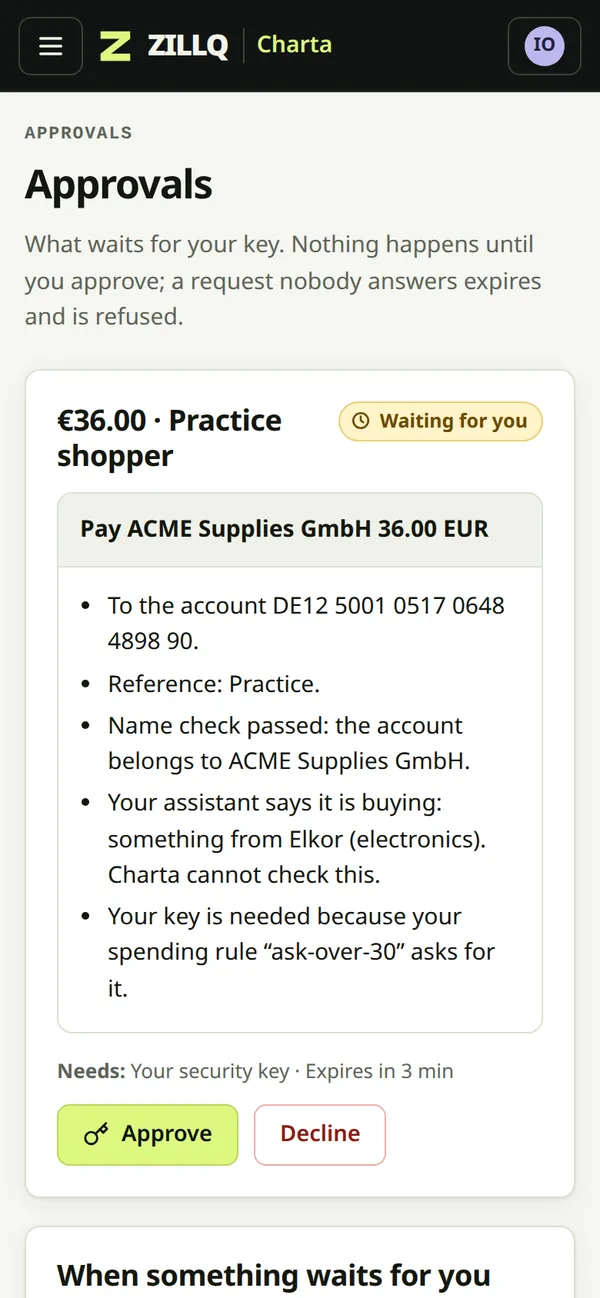
When a payment needs you, Charta can email you. Open the link on your phone, read exactly what you'd be approving, and confirm with your password, or touch your security key if you added one. If nobody answers, the payment expires and is refused. It is never approved by default.
Security
Agents misread, get tricked, or just get things wrong. Charta assumes they will, and limits what any single mistake can cost.
Charta answers before the payment is made, not afterwards. A refused payment never starts.
A password is enough to start, and the record says so. Add a security key, which can't be copied, and only the key can change your rules or agents: a stolen password then touches nothing.
An agent's mandate is a ceiling it can't lift. Widening it needs your confirmation, or your key if you added one; your rules can only make it stricter.
A payment that waits for you expires and is refused if nobody answers. It is never approved by default.
Refusals are recorded like payments, so “the agent never tried” and “the record was lost” can't be confused.
It decides and records. Your bank or card provider moves the money, and Charta keeps no card numbers.
Who it's for
Let your agents buy supplies, software and travel inside rules you signed, with a record your accountant can check.
An assistant that books and buys for you, without a blank cheque, and that asks you when it should.
Rules like “nothing over €500 to someone new without my daughter's key too” guard against pressure and fraud, not only agents.
Honour your customers' Charta before you pay, and keep evidence a supervisor can verify. Write to hello@zillq.com.
Trust levels
Each level ties your Charta more firmly to you. Early access covers the first two, with test payments. Real payments are planned from level 3, with small limits to start.
An email and a password. Write your rules in your own words, confirm them with your password, connect agents and have them paid.
AvailableOptional, and stronger: with a security key, only the key can approve changes, and what it signs anyone can verify.
AvailableTie your Charta to your national eID or the EU Digital Identity Wallet.
PlannedYour bank confirms the account is yours, and can rely on your Charta for every payment.
PlannedPricing
€0until 31 Dec 2026
Let's talk
There is no billing in early access, and no card is asked for. Prices will be published on this page before anything is charged.
Questions
A place for your spending rules: what AI agents may pay for in your name. You write the rules in your own words, confirm them with your account, and every payment an agent asks for is checked against them before any money moves. Each decision is recorded, refusals included.
No. Charta never holds money. It decides whether a payment is within your rules and records that decision. Your bank or card provider moves the money.
Not yet. In early access every payment is a test payment: a simulated bank transfer, or a simulated single-use card. You can try everything without risk.
Yes. That is all it takes to start, and it is the default. You create an account with an email and a password, write your rules, connect agents and have them paid. When something needs you, you enter your password again and it counts for five minutes.
What that is worth, said plainly: Zillq Charta keeps two things apart. Your account proves who you are. The consent platform decides what your agents may do and keeps the evidence. How strong your account is, is your choice: the platform records which proof stood behind each approval, and your rules can ask for more. With only a password, anyone who has your password can do what you can, and the record says "account confirmation", not "signed by a key".
Yes: a PIN, six digits you choose in the app. Once you set one, it confirms what you approve instead of your password, so a stolen password can sign in but can't approve anything. Setting it shows a twelve-word recovery phrase, once, to write down. Forget the PIN and the phrase brings it back; lose both and a reset completes after 72 hours, with your PIN working meanwhile and a notice to the addresses you proved.
If you forget your password, choose Forgot your password? on the sign-in page and we email you a link.
No. A security key is optional, and stronger: any FIDO2 security key, such as YubiKey or TOKEN2. Once you add one, only the key can approve changes to your rules and agents, so even a stolen password could not touch them, and what it signs is a signature anyone can verify. You can add it any time, from Security in the app.
The same key also signs you in with one touch. A passkey on your phone or computer can sign you in too, and so can your national eID card.
If you added a security key: for small things, yes. For anything that gives an agent more room, the security key is needed. Without one, your password confirms everything.
Why the difference? Most phone passkeys are kept in your Apple, Google or password-manager account, and copied to every device that account reaches. That's convenient for signing in to websites. But it means such a passkey can't show which device signed, or that you were the one holding it. A security key never lets its secret out, so what it signs, you signed.
Your phone still helps: plug your security key into it, or hold the key against it, and approve from wherever you are.
Any agent that can use an MCP server, such as Claude Code. Charta gives it three tools: what it may buy, asking to buy, and checking on a request. The agent makes its own key; Charta only sees the public half. There is also a practice agent built in.
It is refused, with the rule that refused it, or it waits for you if one of your rules says to ask you. You can get an email; nothing is paid until you approve, and a request nobody answers expires.
By several proofs at once, each a different kind: something you hold (your security key, an authenticator app, your phone number), something you are (a passkey with your fingerprint or face), something you know (your password) and places you can be reached (your email addresses). Later, official proof: your national eID or EU Digital Identity Wallet, and your bank.
An email and a password are enough to start, and they are the default. Each proof has its own strength, from 1 to 5: a security key is the strongest, a password the weakest. Your journal records which proof was used for every sign-in, signature and payment. Your agents can say how strongly you're proven, but never your name, addresses or keys. What each proof is worth.
Yes. Export everything as one file: your signed rules, your agents and every decision, with the signatures that prove them.
On a server in the EU (Amazon Web Services, Milan). Each person's Charta is a separate database. When you ask Charta to draft rules from your words, those words are sent to Amazon Bedrock in the EU; nothing about your payments or keys is. More about your data.
This is about a security key you added; a password alone involves no key. Once you add one, nobody can loosen your rules or connect an agent without it, and that includes us, so add a backup key and keep it somewhere safe. In early access there is no self-service recovery if every key is lost; write to hello@zillq.com.
ZILLQ, an independent payments lab and the team behind the zillq.com payments sandbox.
Free during early access. Test payments only.